ueditor使用过程
ueditor版本为1.4.3.3,由于ueditor已经停止维护,所以相关的写法与引入全是js的形式
下载与引入
1、GitHub上下载下来之后解压到assets目录下,直接打开目录下的index.html可以直接看到demo
2、引入方式有两种,两者有区别。
- 第一种是在index.html中直接引入,这种没什么要注意的地方
<script type="text/javascript" charset="utf-8" src="assets/ueditor1_4_3_3/ueditor.config.js"></script>
<script type="text/javascript" charset="utf-8" src="assets/ueditor1_4_3_3/ueditor.all.min.js"></script>
<script type="text/javascript" charset="utf-8" src="assets/ueditor1_4_3_3/lang/zh-cn/zh-cn.js"></script>
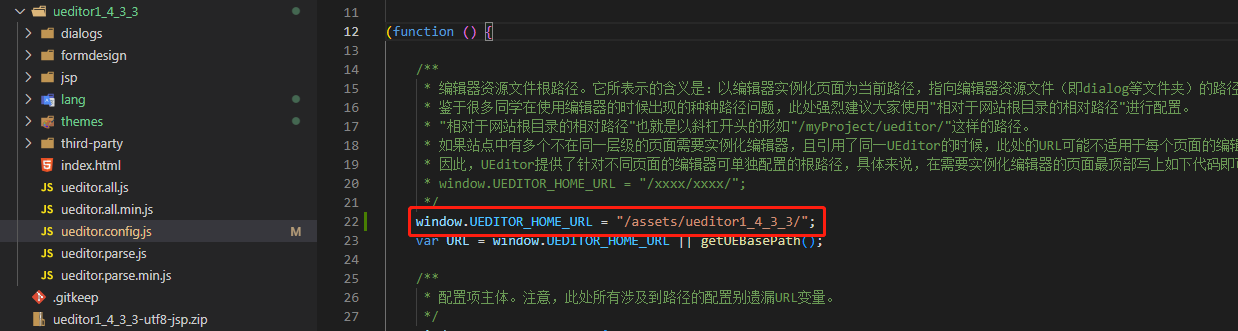
- 第二种是angular.json中引入,这个方式要注意的是需要在
ueditor.config.js中配置UEDITOR_HOME_URL,如果不配置将会出现很多错误,包括css的MIME请求类型错误等问题
"scripts": [
    "src/assets/ueditor1_4_3_3/ueditor.config.js",
    "src/assets/ueditor1_4_3_3/ueditor.all.js",
    "src/assets/ueditor1_4_3_3/lang/zh-cn/zh-cn.js"
]
使用
- 只需要一个div,定义好id
<div id="editor" style="height:500px;"></div>
- 在ngAfterViewInit中初始化,第二个参数是编辑器的配置项,是具体情况定义,至此完成所有步骤
ngAfterViewInit() {
    const ue = UE.getEditor('editor', {
        // toolleipi: true,
        lang: 'zh-cn',
        initialFrameHeight: 300,
        readonly: false
    });
}
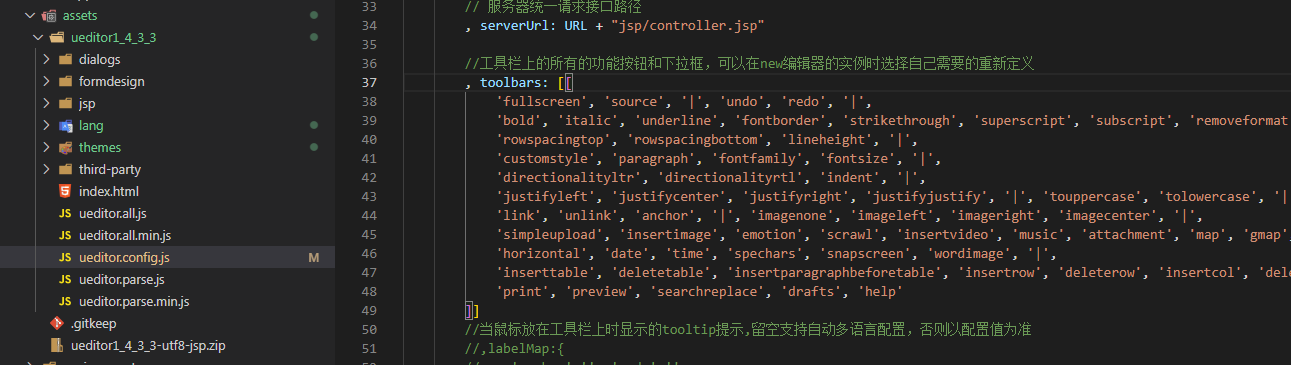
- 在配置文件的
toolbars中注释相关按钮就可以自定义自己所需的功能了,其他的功能设置也是在这个配置文件中配置,包括上传的功能,需要配置后端服务路径
自定义表单
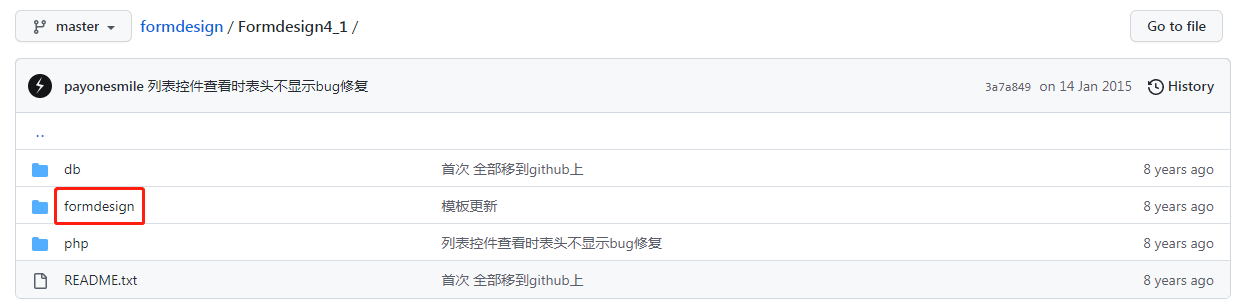
- 下载第三方插件,只需要formdesign文件就好,将formdesign整个复制到ueditor下,参考上面一个截图中的位置
https://github.com/payonesmile/formdesign
index.html或者angular.json中引入formdesign文件下的leipi.formdesign.v4.js
"scripts": [
    "src/assets/ueditor1_4_3_3/ueditor.config.js",
    "src/assets/ueditor1_4_3_3/ueditor.all.js",
    "src/assets/ueditor1_4_3_3/lang/zh-cn/zh-cn.js",
    "src/assets/ueditor1_4_3_3/formdesign/leipi.formdesign.v4.js"
]
- 在创建编辑器实例的时候添加
toolleipi属性
 ngAfterViewInit() {
     const ue = UE.getEditor('editor', {
         // 添加该属性
         toolleipi: true,
         lang: 'zh-cn',
         initialFrameHeight: 300,
         readonly: false
     });
 }
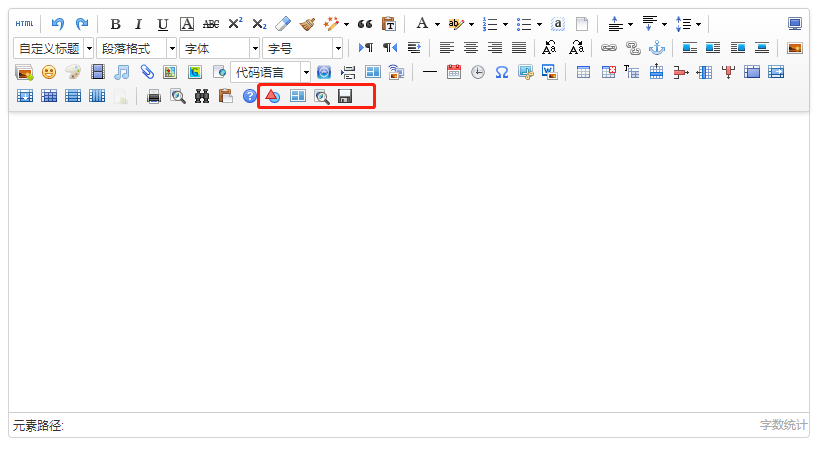
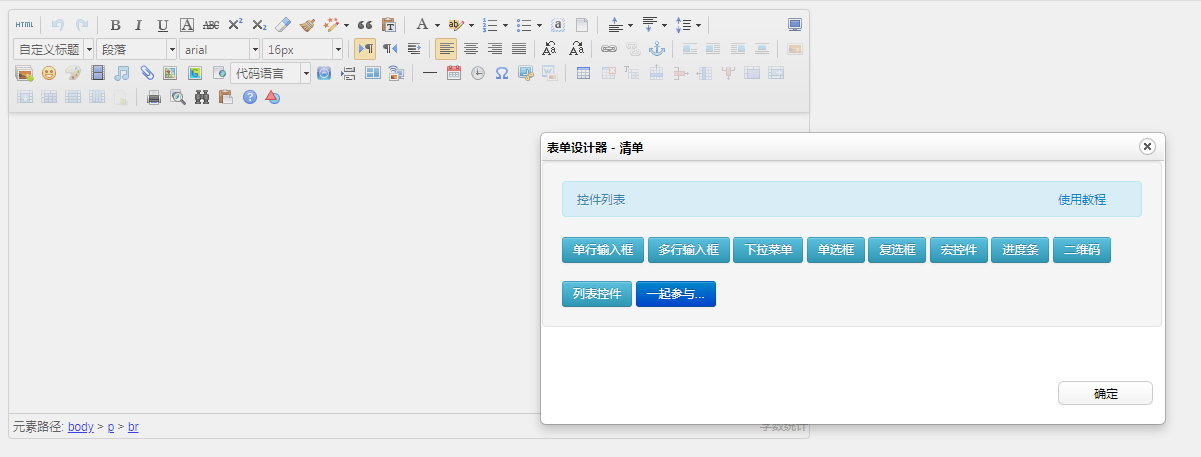
这时候编辑上会多出四个关于自定义编辑器的按钮,第一个按钮中选择各类表单组件,后面三个无法正常使用,但是由于雷劈网已经关闭,具体配置以及原因不清楚,第一个按钮能用就好,其他三个按钮注释掉就好
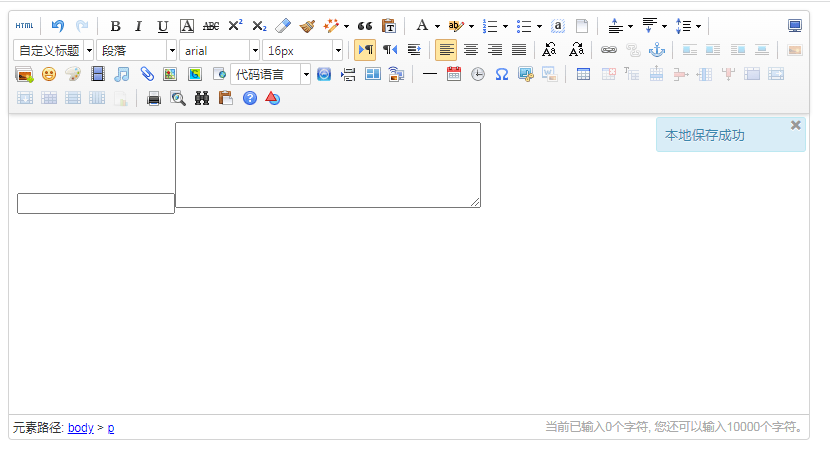
- 这时候表单并不能正常插入到编辑器中,需要在
ueditor.config.js中配置白名单,找到whitList部分添加表单相关

展示
表单值的问题
上面是可以在编辑器中添加表单了,但是输入值的时候会发现实际上是无法保存的,是因为没有手动为表单设置值,所以在那进行保存的时候需要手动setAttribute之后再去拿html串进行保存
自定义其他按钮
参考如下,其他功能自行参考demo
UE.registerUI('button_save',function(editor,uiName){
    if(!this.options.toolleipi)
    {
        return false;
    }
    //注册按钮执行时的command命令,使用命令默认就会带有回退操作
    editor.registerCommand(uiName,{
        execCommand:function(){
            try {
                // 逻辑代码
            } catch ( e ) {
                alert('保存异常');
            }

        }
    });
    //创建一个button
    var btn = new UE.ui.Button({
        //按钮的名字
        name:uiName,
        //提示
        title:"保存表单",
        //需要添加的额外样式,指定icon图标,这里默认使用一个重复的icon
        cssRules :'background-position: -481px -20px;',
        //点击时执行的命令
        onclick:function () {
            //这里可以不用执行命令,做你自己的操作也可
           editor.execCommand(uiName);
        }
    });

    //因为你是添加button,所以需要返回这个button
    return btn;
});